Choosing Elementor vs other page builders is not simply a question of which builder has the longest feature list. The right choice depends on who will edit the site, how many websites you manage, whether you need WooCommerce or dynamic content, how much control you want over code and styling, and whether you prefer an annual or lifetime license.
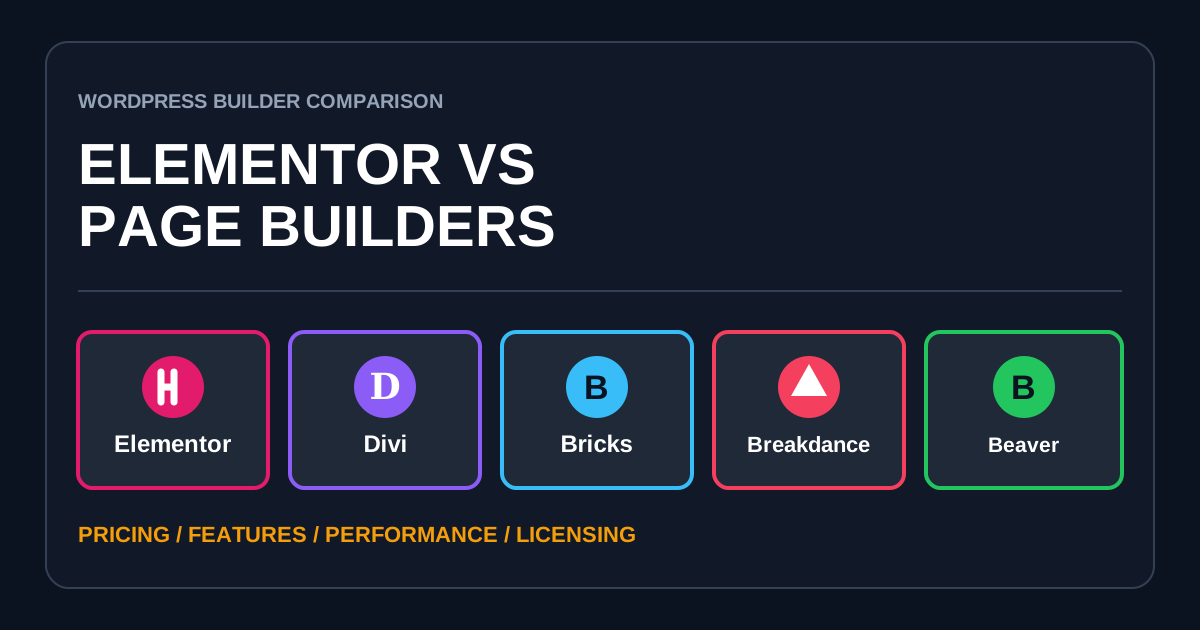
This comparison covers five serious WordPress options: Elementor, Divi, Bricks, Breakdance, and Beaver Builder. It compares their current public plans, important features, workflow, licensing, performance approach, and practical tradeoffs.
Affiliate disclosure: This article contains an Elementor affiliate link. If you purchase through that link, AbdullahWP may earn a commission at no additional cost to you. The comparison and recommendations are based on product features, public pricing, and practical suitability.
Quick Verdict: Which WordPress Page Builder Is Best?
- Elementor: best overall for beginners, freelancers, marketers, and businesses that want an approachable editor, large ecosystem, strong template library, forms, popups, theme building, and WooCommerce tools.
- Divi: best for users who want unlimited sites and a low-cost lifetime license, especially when they like the Divi design workflow and ecosystem.
- Bricks: best for developers and performance-focused agencies that want class-based styling, dynamic data, query loops, semantic control, and a theme-integrated builder.
- Breakdance: best for users who want forms, popups, WooCommerce, dynamic data, and a large element library bundled into one visual builder.
- Beaver Builder: best for agencies and site maintainers who value a stable editing experience, predictable client handoff, broad theme compatibility, and conservative development.
For most first-time WordPress users, Elementor remains the easiest recommendation because it combines a capable free version with a broad learning ecosystem. You can view the current Elementor plans here.
Elementor vs Other Page Builders: Pricing Comparison
The prices below are public USD prices found during research. Taxes, promotions, introductory discounts, renewal prices, and regional pricing can change. Always verify the final checkout amount before buying.
| Builder | Free option | 1-site paid plan | Multi-site or unlimited plan | Lifetime option |
|---|---|---|---|---|
| Elementor | Yes | Pro Essential: $59/year Advanced Solo: $79/year | Advanced: $108/year for 3 sites Expert: $199/year for 25 sites Agency: $408/year for 1,000 sites | No |
| Divi | No | Plans allow unlimited sites | $89/year for unlimited sites | $249 once for unlimited sites |
| Bricks | Online playground only | $79/year | $149/year for 3 sites $249/year unlimited | $599 once, unlimited |
| Breakdance | Yes, unlimited sites | $99.99/year | $199.99/year unlimited Agency: $799.99/year | No |
| Beaver Builder | Lite plugin | $89/year | $179/year for 3 sites $299/year for 50 sites $546/year unlimited | No |
The lowest price is not automatically the lowest total cost. A builder that needs extra plugins for forms, popups, dynamic content, or WooCommerce templates can cost more than a higher-priced builder that includes those features.
Main Feature Comparison
| Feature | Elementor | Divi | Bricks | Breakdance | Beaver Builder |
|---|---|---|---|---|---|
| Visual drag and drop | Yes | Yes | Yes | Yes | Yes |
| Free downloadable version | Yes | No | No | Yes | Yes, Lite |
| Theme building | Pro | Included | Included | Included | Themer included in paid plans |
| Dynamic data and custom fields | Advanced Solo and above for advanced integrations | Yes | Yes | Yes | Yes |
| Dedicated popup builder | Advanced Solo and above | Limited or add-on workflow | Yes | Yes | No dedicated core popup builder |
| Form builder | Yes; integrations require higher plans | Contact form module | Yes | Yes | Form modules |
| WooCommerce building | Advanced Solo and above | Woo modules and theme templates | Yes | Yes | WooCommerce integration |
| Class-based styling | Improving in Editor V4 | Presets and variables | Strong | Strong | More traditional module styling |
| Lifetime license | No | Yes | Yes | No | No |
| Builder type | Plugin | Theme or plugin | Theme | Plugin with theme-replacement workflow | Plugin plus optional theme |
1. Elementor: Best Overall for Most WordPress Users
Elementor is the most approachable option in this comparison for users who want to design visually without adopting a developer-first workflow. The editor is familiar, templates and tutorials are easy to find, and the ecosystem includes themes, add-ons, hosting, AI services, image optimization, accessibility tools, and email-delivery products.
The free version is useful for basic pages. Elementor Pro adds theme building, professional widgets, templates, forms, and dynamic features. However, the Essential plan is deliberately limited: it does not include Custom CSS, advanced form integrations, Popup Builder, advanced custom-field integrations, or WooCommerce Builder. Advanced Solo or a higher plan is the more realistic starting point for a professional store or dynamic website.
Elementor strengths
- Easy visual workflow for non-developers.
- Useful free version.
- Large community, template market, and third-party ecosystem.
- Theme Builder, forms, popups, dynamic content, and WooCommerce tools in suitable Pro plans.
- Works as a plugin with many WordPress themes.
- Good option when clients need to make visual changes after handoff.
Elementor limitations
- No lifetime license.
- Important professional features are split between plan levels.
- Complex pages can become heavy when built with excessive nesting, animations, add-ons, and duplicated responsive sections.
- The large ecosystem can encourage users to install overlapping add-on plugins.
- Annual costs rise when managing many client sites.
Elementor is not automatically slow. Build quality matters. Clean containers, fewer add-ons, controlled scripts, optimized images, and sensible responsive design make a major difference. See how to improve INP in WordPress Elementor and how to reduce excessive DOM size in Elementor.
Best for: beginners, business owners, freelancers, marketers, WooCommerce site owners, and agencies that value ease of use and ecosystem depth.
Check Elementor plans and current offers.
2. Divi: Best Lifetime Value for Unlimited Sites
Divi is both a WordPress theme and a standalone builder plugin. Its strongest pricing advantage is simple: both the annual and lifetime builder licenses allow unlimited websites. The $249 Divi lifetime license can be attractive for freelancers who expect to keep building Divi sites for several years.
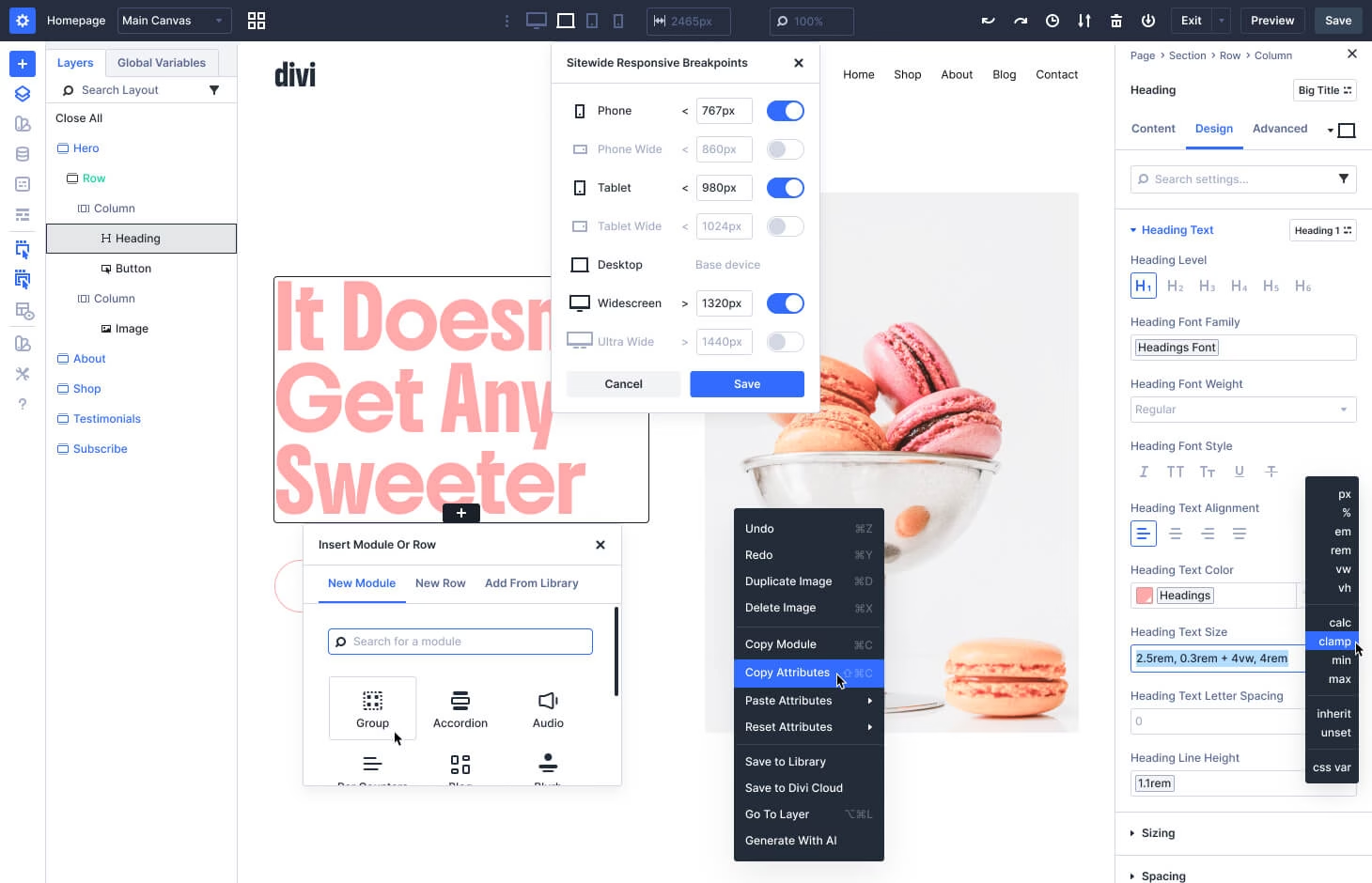
Divi includes a visual builder, theme builder, premade website packs, design presets, responsive controls, dynamic content, WooCommerce modules, and the Divi Dash site manager. Divi 5 introduces a more modern interface, class-based presets, variables, customizable breakpoints, flexbox, grid, and a rewritten framework.
Divi strengths
- Unlimited sites on annual and lifetime plans.
- Low-cost $249 lifetime builder license.
- Theme and plugin versions are available.
- Large layout and marketplace ecosystem.
- Theme Builder and WooCommerce design tools are included.
- Divi Dash helps manage multiple WordPress sites.
Divi limitations
- No permanent free version.
- Divi has its own distinct editing model and can take time to learn.
- AI, cloud storage, VIP support, and team services are recurring add-ons, even with the lifetime builder license.
- Moving an established Divi site to another builder usually requires a rebuild.
Best for: freelancers and agencies that want unlimited sites, users committed to the Divi ecosystem, and buyers who strongly prefer a lifetime license.
3. Bricks: Best for Developers and Scalable Design Systems
Bricks is a WordPress theme with a visual builder built into it. This is an important difference. It can produce a tightly integrated front end and gives developers strong control, but switching away from Bricks means switching the active theme and rebuilding Bricks templates.
Every Bricks plan includes the same feature set. That includes more than 110 elements, Query Loop Builder, Menu Builder, Popup Builder, WooCommerce Builder, forms, dynamic data, conditions, and interactions. You pay for the number of site activations rather than unlocking features through higher tiers.
Bricks strengths
- Strong class-based styling and design-system workflow.
- Advanced query loops, dynamic data, conditions, and interactions.
- All features included on every paid plan.
- Popup, menu, form, and WooCommerce builders included.
- Annual and genuine lifetime unlimited-site licenses.
- Developer-friendly custom CSS, JavaScript, PHP, and semantic controls.
Bricks limitations
- No downloadable free version, although an online playground is available.
- Steeper learning curve for users unfamiliar with CSS classes and web layout concepts.
- It replaces the WordPress theme rather than working as a theme-neutral page-builder plugin.
- Smaller ecosystem and fewer beginner tutorials than Elementor or Divi.
Best for: developers, technical freelancers, dynamic-content projects, and agencies building reusable design systems.
4. Breakdance: Best All-in-One Pro Feature Set
Breakdance aims to reduce the number of separate plugins needed for a professional site. The free version works on unlimited websites with limited elements and basic WooCommerce, form, popup, and dynamic-data features. Pro unlocks the complete feature set.
The official Breakdance pricing page lists a $99.99 single-site plan and a $199.99 unlimited plan. Both include 145 elements, the full design library, WooCommerce integration, Form Builder, Popup Builder, dynamic data, conditions, custom fonts, class management, and developer tools. The $799.99 Agency tier is primarily for teams, resellers, and agencies needing special terms and support for five team members.
Breakdance strengths
- Useful free version for unlimited sites.
- Forms, popups, WooCommerce, dynamic data, and many elements in one product.
- Same Pro features on single-site and unlimited licenses.
- Strong visual controls without requiring a large add-on stack.
- Existing sites continue working if the license is not renewed, although updates, support, and the design library are lost.
Breakdance limitations
- No lifetime license.
- Smaller third-party ecosystem than Elementor or Divi.
- AI content writing is a separate service.
- The builder often replaces normal theme responsibilities, creating migration work if you switch later.
Best for: freelancers who want many professional features in one builder, WooCommerce projects, and agencies that want an unlimited-site license without buying multiple add-ons.
5. Beaver Builder: Best for Stability and Client Handoff
Beaver Builder has a quieter product philosophy than some competitors. It focuses on a dependable front-end editor, broad WordPress compatibility, clear permissions, reusable content, and a workflow that agencies can hand to clients without exposing an overwhelming design interface.
Current Beaver Builder paid plans include the page-builder plugin, Beaver Builder Theme, Beaver Themer, Loop Builder, WooCommerce support, templates, premium modules, conditional logic, dynamic content, and unlimited staging sites. The plan level mainly changes the number of live sites and agency features. Professional supports 50 sites and multisite management. Unlimited adds white labeling, priority support, cloud asset storage, and advanced training.
Beaver Builder strengths
- Stable, predictable visual editor.
- Works with most WordPress themes.
- Theme and Themer are included in current paid plans.
- Good role controls and client-friendly editing.
- Dynamic content, conditional logic, loops, and WooCommerce support.
- White labeling on the Unlimited plan.
Beaver Builder limitations
- Higher unlimited-site annual price than Divi, Bricks, or Breakdance Pro.
- Smaller design and add-on ecosystem than Elementor.
- No lifetime license.
- No dedicated built-in popup builder comparable to Elementor, Bricks, or Breakdance.
- The interface may feel conservative to designers wanting experimental effects and dense design controls.
Best for: maintenance agencies, universities, long-lived business sites, multisite networks, and projects where non-technical clients will edit content.
What About Gutenberg and the WordPress Site Editor?
The native WordPress block editor is the cheapest option because it is part of WordPress. With a block theme, the WordPress Site Editor can design headers, footers, templates, pages, and global styles. It is a good choice for blogs, publications, and performance-conscious sites that do not need a page builder’s full visual toolset.
However, many advanced designs still require a capable block theme, additional block plugins, custom CSS, or developer work. Gutenberg is not automatically simpler once several block suites are combined. Compare the complete stack, not only the core editor’s $0 price.
Performance: Which Builder Is Fastest?
No builder guarantees a fast website. Hosting, theme architecture, images, fonts, third-party scripts, plugins, animation choices, cache configuration, and the skill of the person building the page can outweigh the builder itself.
- Bricks gives technical users strong control over classes, variables, query output, semantic tags, and reusable design systems.
- Breakdance includes many features that might otherwise require separate plugins, which can simplify the stack.
- Elementor can perform well when layouts are clean, add-ons are controlled, and heavy effects are limited.
- Divi 5 uses a rewritten framework and modern design controls, but existing Divi 4 sites may behave differently from new Divi 5 builds.
- Beaver Builder favors a conservative feature set and established compatibility.
Do not choose from a vendor’s perfect demo score. Build the same representative page, use the same hosting and images, and compare HTML size, DOM size, requests, LCP, INP, editor responsiveness, and how many extra plugins each stack requires.
Which Builder Is Best for WooCommerce?
Elementor Advanced Solo and higher plans, Bricks, and Breakdance provide the most obvious visual WooCommerce-building paths in this group. Divi includes WooCommerce modules and template-building tools. Beaver Builder provides WooCommerce integration but may feel less specialized for highly customized store interfaces.
For a store, builder price should not be the main decision. Test product variations, cart fragments, checkout fields, account pages, filters, search, payment gateways, and mobile interaction. A beautiful product template is not useful if an extension or checkout workflow breaks.
Which Builder Is Best for Agencies?
- Choose Elementor when hiring availability, client familiarity, integrations, and template ecosystem matter most.
- Choose Divi when unlimited sites and lifetime licensing produce the best long-term economics.
- Choose Bricks when your team understands CSS and wants a structured, developer-friendly design system.
- Choose Breakdance when the agency wants a broad built-in feature set and an affordable unlimited Pro license.
- Choose Beaver Builder when reliability, permissions, multisite, white labeling, and client handoff are the priority.
Migration and Lock-In: The Cost Buyers Forget
WordPress page builders do not share a common layout format. A page created in Elementor cannot be opened and edited as a native Divi, Bricks, Breakdance, or Beaver Builder layout. Switching usually means rebuilding templates and pages.
- Check whether the builder is a plugin, theme, or theme replacement.
- Keep important written content in WordPress where practical.
- Document global colors, fonts, breakpoints, templates, and custom code.
- Avoid unnecessary builder-specific add-ons.
- Export templates and take a full backup before major changes.
- Price a future rebuild into the decision for long-lived sites.
If you are moving an older Elementor site to modern layouts, use this guide to convert Elementor sections to containers without breaking the design.
How to Choose the Right Page Builder
- List the required features. Include forms, popups, dynamic content, WooCommerce, loops, multilingual support, permissions, and integrations.
- Count live sites. One-site and agency economics are very different.
- Compare renewal cost. Separate promotional prices from normal renewals.
- Build a real test page. Use your typical hero, cards, form, navigation, dynamic loop, and mobile layout.
- Test the editor with the actual user. A client-friendly editor may be more valuable than an advanced developer feature.
- Audit the complete plugin stack. Include paid add-ons needed to match another builder’s bundled features.
- Test performance fairly. Use identical hosting, media, caching, and content.
- Plan for ownership. Decide who maintains licenses, updates, templates, and custom code after launch.
Frequently Asked Questions
Is Elementor better than Divi?
Elementor is usually easier to recommend when you want a free starting point, a very large ecosystem, broad theme compatibility, and familiar visual editing. Divi offers better unlimited-site and lifetime-license value. The better choice depends on workflow and long-term licensing, not one universal winner.
Is Bricks better than Elementor for performance?
Bricks gives experienced users more direct control over classes, semantic structure, variables, and reusable systems. That can support a lean build. Elementor can also be fast when designed carefully. A fair answer requires testing the same page and plugin stack on the same server.
Which Elementor alternative has the best lifetime deal?
Divi currently has the lower lifetime entry price at $249 for unlimited sites. Bricks offers an unlimited lifetime license for $599 and is more developer-oriented. Compare the editor and required add-ons before choosing only by price.
Which builder is easiest for clients?
Elementor is familiar to many clients and freelancers. Beaver Builder is also strong for controlled, predictable client editing. The best approach is to let the actual editor test a sample page before standardizing the project.
Can I switch from Elementor to another builder automatically?
No reliable one-click conversion exists for complex sites. Expect to rebuild layouts, templates, responsive settings, forms, popups, dynamic loops, and custom styles. Preserve content and SEO data, then migrate page by page on staging.
Final Recommendation
Elementor is the best overall choice for the widest group of WordPress users. Its free version, approachable interface, theme compatibility, integrations, learning resources, and professional features make it easier to start and easier to hire for later. Advanced Solo is a better professional single-site plan than Essential when you need WooCommerce, popups, custom CSS, advanced forms, or custom-field integrations.
Divi wins on lifetime value. Bricks is the strongest fit for technical, performance-conscious workflows. Breakdance bundles an impressive amount into Pro. Beaver Builder remains a sensible choice for stability and client handoff.
Choose the builder your team can use consistently and maintain responsibly. If Elementor fits that requirement, compare Elementor plans through this affiliate link. For help selecting, building, or optimizing a WordPress site, contact AbdullahWP.