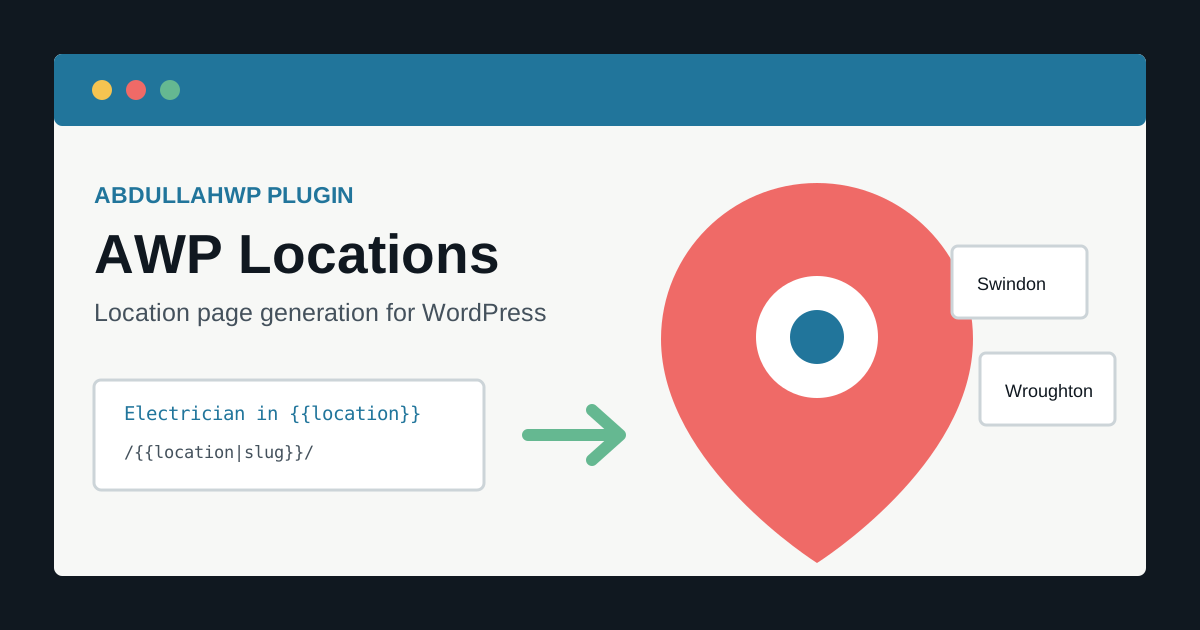
AWP Locations is a WordPress location page generator for creating independent, editable pages from one reusable template and structured data. It is designed for local-service businesses, WordPress agencies, Elementor designers, and SEO teams that need a controlled way to build location landing pages without manually duplicating layouts.
The plugin combines global fields, placeholders, CSV generation, Elementor support, SEO metadata patterns, Location Groups taxonomy, batch history, retries, and rollback tools. The result is a set of normal WordPress pages that can be reviewed, published, edited individually, indexed, and displayed in page listings or Elementor Loop Grids.
Quick summary: Build one approved source page, add placeholders such as {{location}}, connect title and slug patterns, import a small CSV, and generate pages as drafts. AWP Locations automates the repeatable production work; it does not replace local research, accurate business information, or the unique evidence each page needs to deserve search visibility.
What AWP Locations does
- Turns an existing WordPress page into a reusable location template.
- Replaces built-in and custom placeholders in titles, slugs, content, Elementor data, and supported SEO metadata.
- Generates one page manually or many pages from CSV/pasted data.
- Supports rich fields for paragraphs, HTML, links, and longer local sections.
- Creates standard WordPress pages with draft, pending, published, or scheduled status.
- Assigns generated pages to a dedicated Location Groups taxonomy.
- Records batch results, warnings, errors, generated page IDs, retries, and rollback options.
- Supports metadata patterns for Yoast SEO, Rank Math, All in One SEO, and SEOPress workflows.
- Provides duplicate policies instead of silently overwriting existing URLs.
Who the plugin is for
| User | Typical project | Why it helps |
|---|---|---|
| Local service business | Plumber, electrician, roofer, cleaner, builder, or landscaper pages by service area | Keeps layouts and essential service information consistent |
| SEO agency | Repeatable campaigns for many client towns or branches | Adds batch tracking, draft review, retries, and rollback |
| Elementor designer | Location pages shown in a Loop Grid | Duplicates the approved builder layout and organizes pages by taxonomy |
| Multi-location organization | Pages for real offices, stores, clinics, or departments | Maps structured branch data into separate editable pages |
| Content team | Directories, regional resources, venue pages, or non-SEO landing pages | Separates reusable structure from row-specific information |
AWP Locations is not only for trades or city-keyword pages. The same system can create branch profiles, regional event pages, dealer pages, course locations, staff territories, service-area resources, and campaign landing pages whenever the structure repeats but the underlying data genuinely changes.
How AWP Locations works
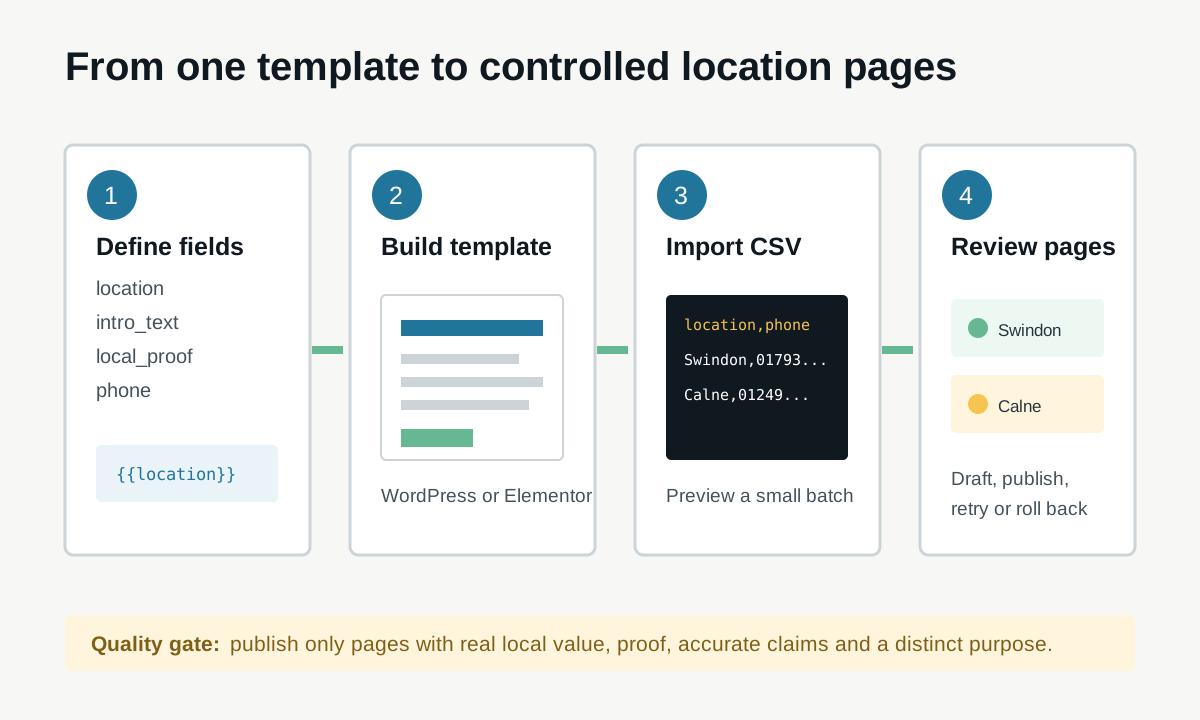
1. Create reusable global fields
Fields are defined once and reused across templates. A field can have a type, default value, required state, help text, validation rules, and select options. Start with data that is genuinely useful to a visitor:
location
service_area
intro_text
local_jobs
local_testimonial
travel_or_access_notes
phone
opening_hours
section_1_content
Avoid creating dozens of vague fields before the first template exists. Define the content model from the information each location page needs, then make essential fields required so incomplete CSV rows fail early.
2. Add placeholders to a source page
Create or select a normal WordPress page and add placeholders where row data belongs:
{{location}}
{{location|slug}}
{{section_1_content}}
{{site_name}}
{{current_year}}
Use {{location}} for readable text and {{location|slug}} for a URL-safe value. Custom fields such as {{local_jobs}} or {{intro_text}} can carry substantially different content for each row.
3. Configure the template
The template connects the source page to generation rules. Configure the title, slug, default status, parent page, Location Group, duplicate handling, and SEO patterns.
Title: Electrician in {{location}}
Slug: electrician-in-{{location|slug}}
SEO title: Electrician in {{location}} | Example Electrical
Meta description: Need an electrician in {{location}}? View local services, recent work and contact options.
Default status: Draft
Draft is the safest default. Title and metadata patterns provide consistency, but editors should still check length, repetition, claims, and whether every page answers a distinct local need.
4. Import CSV data
A minimal file can contain only a location:
location
Swindon
Wroughton
Marlborough
A useful production file should normally include page-specific evidence and information:
location,service_area,local_jobs,intro_text
Swindon,"Old Town, Stratton, West Swindon","Consumer unit upgrade in Old Town","Electrical work for homes and businesses across Swindon."
Wroughton,"Wroughton and nearby villages","EV charger installation near High Street","Local electrical support for Wroughton properties."
Use UTF-8 CSV, keep column names identical to field names, and quote values containing commas, line breaks, or HTML. Sanitize spreadsheet formulas before sharing CSV files and review any rich HTML from untrusted contributors.
5. Generate a small draft batch
- Back up the database.
- Generate three to five rows as drafts.
- Open each page on desktop and mobile.
- Check every placeholder, button, image, form, internal link, title, canonical, and meta description.
- Confirm the correct parent and Location Group.
- Test duplicate behavior and one rollback on staging.
- Only then process the remaining approved rows.
Tip: Treat the first batch as a production acceptance test. A mistake in one template can be multiplied across every generated page, so five carefully reviewed drafts are more valuable than 500 instant publications.
Using AWP Locations with Elementor
AWP Locations can use an Elementor-built source page and replace placeholders inside its saved builder data. This lets the generated page retain the approved containers, responsive settings, widgets, classes, and design system while row-specific values change.
- Put placeholders in text widgets, headings, buttons, and supported content fields.
- Test placeholders in links and attributes separately; context matters for escaping and URL formatting.
- Regenerate Elementor CSS/data if a generated page displays stale styles.
- Do not use the source template as a live indexed location page unless it has its own purpose.
- Check global widgets and templates: shared global content may not become row-specific merely because the page was duplicated.
- Test popups, forms, dynamic tags, and third-party Elementor add-ons before a large batch.
For a broader builder decision, see the Elementor vs other page builders comparison.
Display generated pages in an Elementor Loop Grid
- Create an Elementor Loop Item for a location card.
- Add the page title, featured image, excerpt, and link dynamically.
- Create a Loop Grid on the main Locations or Service Areas page.
- Query pages assigned to the relevant Location Group taxonomy term.
- Set a predictable order and pagination.
- Verify that draft, private, and scheduled pages are not publicly listed.
SEO metadata and indexing workflow
The plugin can preserve metadata patterns for common SEO tools, including Yoast SEO, Rank Math, All in One SEO, and SEOPress. After generation, verify the actual front-end output rather than assuming a saved pattern is active.
- Give each indexable page a self-referencing canonical unless it is genuinely a duplicate.
- Keep the source template as draft, private, or noindex if it has no visitor-facing purpose.
- Confirm generated pages appear in the correct XML sitemap after publication.
- Use descriptive internal links from service pages, area hubs, case studies, and relevant navigation.
- Do not put every town in the main menu; build a useful Locations hub and regional structure.
- Inspect a small sample in Google Search Console before releasing a large group.
- Monitor excluded, crawled-not-indexed, duplicate, and soft-404 patterns after launch.
Google describes a canonical as a signal for choosing the representative version of similar pages. Do not point every location page to one service page merely because they share a template; that tells search engines the location pages are duplicates. Instead, publish distinct pages only when each has independent value, then use a self-canonical. See Google’s canonical URL guidance.
The local page quality gate
A page generator can create URLs; it cannot create local credibility by itself. Google defines scaled content abuse as generating many pages primarily to manipulate rankings rather than help users, and its doorway policy specifically covers similar regional or city pages that funnel visitors to the same destination. Read the official Google Search spam policies before publishing at scale.
Warning: Swapping only a town name, title, and meta description is not a local SEO strategy. Do not generate pages for places the business does not genuinely serve, invent offices or reviews, or publish near-identical pages whose only purpose is capturing city-keyword searches.
A strong location page should contain several types of verifiable local value:
- A clear explanation of what is available in that area and any service constraints.
- Real jobs, projects, case studies, photos, or outcomes from that location.
- Accurate travel, access, coverage, response-time, or appointment information.
- Area-specific FAQs based on real customer questions.
- Relevant nearby areas and internal links, not a stuffed list of every town.
- Testimonials only when permission and location claims are accurate.
- A useful next action: call, request a quote, check availability, visit a branch, or view related work.
- For real branches, correct address, hours, phone, map, staff, and accessibility information.
Google’s guidance says to create people-first content with original information and a substantial treatment of the topic. Use the plugin to scale approved structure and data handling, then apply human review to the claims and usefulness of each page. See Google’s people-first content guidance.
LocalBusiness schema: branches vs service areas
Do not mark every service-area page as a separate physical business. Google’s LocalBusiness documentation says each actual business location can be defined as a LocalBusiness and requires a physical address for eligibility. A page about serving Wroughton is not automatically a Wroughton branch.
- Use organization or appropriate service information consistently across service-area pages.
- Use branch-specific LocalBusiness data only for genuine locations with accurate public information.
- Do not create fake addresses, coordinates, opening hours, or review markup.
- Avoid duplicate LocalBusiness schema from both the template and the active SEO plugin.
- Validate representative pages in Google’s Rich Results Test.
Consult Google’s LocalBusiness structured data documentation before building schema patterns.
Location Groups taxonomy
Location Groups provide a dedicated classification for generated pages. An agency might group pages by client campaign; a business might use South West, Wiltshire, or Emergency Coverage. This supports admin filtering and Elementor queries without forcing an awkward parent-page structure.
Plan taxonomy terms before generation. Avoid creating a separate term for every page unless the archive has a useful public purpose. Empty or thin taxonomy archives should be noindexed or disabled through the site’s SEO configuration.
Duplicate handling, retries, and rollback
Before a batch runs, choose how an existing slug or matching page should be handled:
| Policy | Use it when | Risk |
|---|---|---|
| Stop/skip duplicate | Existing URLs must never be changed automatically | A row may need manual reconciliation |
| Numbered slug | Both pages are intentionally distinct | Can create confusing URLs and accidental duplicates |
| Create duplicate as draft | An editor must compare versions before deciding | Draft clutter if not reviewed |
Batch history should be treated as an audit trail. Review each failed row before retrying. Rollback is most appropriate immediately after a mistaken generation; do not casually roll back a batch after pages have received edits, leads, links, redirects, or search visibility. Keep a database backup independent of the plugin’s rollback mechanism.
CSV preparation checklist
- Use UTF-8 encoding and one header row.
- Match every custom column to the intended field key.
- Keep location names in display form; let the slug transform create URL-safe text.
- Quote cells with commas, line breaks, or HTML.
- Check for smart quotes, hidden whitespace, duplicate rows, and inconsistent capitalization.
- Do not paste untrusted scripts, iframes, or event-handler attributes into rich HTML fields.
- Validate phone numbers, URLs, dates, and required fields before generation.
- Keep a versioned copy of the exact CSV used for each production batch.
Limitations and shortcomings
- It cannot guarantee rankings: Search visibility depends on demand, relevance, competition, authority, technical health, and the value of each page.
- Templates can multiply mistakes: Broken links, inaccurate claims, poor mobile layout, and wrong metadata repeat across a batch.
- Unique fields require real work: A CSV column does not make content useful merely because its text differs.
- Builder compatibility needs testing: Elementor and third-party widgets may store values in different structures.
- Rollback has a time window: Removing pages later may destroy edits, links, analytics continuity, or indexed URLs.
- Large batches consume resources: Page generation, metadata writes, image duplication, cache purges, and indexing can load the database and server.
- SEO-plugin fields evolve: Verify compatibility after major updates to WordPress, Elementor, or the chosen SEO plugin.
- External data is only as accurate as its source: Review CSV permissions, privacy, licensing, and factual accuracy.
Generating hundreds of full Elementor pages can add significant post metadata. Monitor revisions, autoloaded options, orphaned records, and backup size with the WordPress database bloat guide.
Troubleshooting common problems
| Problem | Check |
|---|---|
| Placeholder remains visible | Field key spelling, braces, source context, CSV header, and whether the field is supported there |
| Wrong or empty slug | Required location value, slug transform, Unicode characters, and duplicate policy |
| Elementor page looks unstyled | Regenerate Elementor CSS/data, clear caches, and verify builder metadata copied successfully |
| SEO title is missing | Active SEO plugin, metadata mapping, generated record, and final source output |
| CSV rows shift columns | Delimiter, quoting, encoding, embedded commas, and line breaks |
| Batch times out | Reduce batch size, check PHP logs/limits, and retry only failed rows |
| Loop Grid shows no pages | Published status, post type, Location Group query, visibility, and pagination |
| Google does not index pages | Content quality, duplication, canonical, noindex, sitemap, internal links, fetch status, and crawl time |
How AWP Locations differs from general bulk page generators
Current competitors such as MPG, LPagery, Page Generator, FullScope Bulk Page Generator, and newer programmatic SEO plugins also combine templates with CSV data. AWP Locations is positioned for a WordPress-native local-page workflow where generated pages remain independent, Elementor layouts can be reused, fields are global, Location Groups organize output, and batches have review and rollback controls.
| Need | AWP Locations approach |
|---|---|
| Reusable data model | Global fields reused across templates |
| Elementor workflow | Source-page duplication and placeholder replacement in builder data |
| Normal editable pages | Each generated item is a standard WordPress page |
| Location organization | Dedicated Location Groups taxonomy |
| Safe bulk operations | Draft status, row results, retries, duplicate policies, and rollback |
| SEO-plugin continuity | Patterns for common WordPress SEO metadata systems |
Feature lists change quickly, so evaluate competitors using a small staging project and the exact builder, SEO plugin, taxonomy, and rollback requirements of the site.
Recommended first campaign
- Choose one service and three genuinely served locations.
- Research the user questions, proof, constraints, and useful local details for each place.
- Build the source page and mobile layout.
- Create only the fields needed for that template.
- Prepare and validate the CSV.
- Generate drafts and complete the quality checklist.
- Publish the strongest page first and inspect it in Search Console.
- Add contextual internal links and verify sitemap discovery.
- Measure impressions, engagement, leads, and indexing before expanding.
Best result: AWP Locations is working well when it removes repetitive production effort while editors spend more time on local evidence, accuracy, page usefulness, and conversion details.
Frequently asked questions
Does AWP Locations create real WordPress pages?
Yes. Generated items are independent WordPress pages that can be edited, assigned a parent or taxonomy term, scheduled, published, listed, and managed through normal WordPress workflows.
Can it generate Elementor pages?
Yes, it is designed to duplicate an Elementor source page and replace supported placeholders in its builder data. Test third-party widgets and dynamic values in a small staging batch.
Will generated location pages rank automatically?
No. The plugin speeds up controlled page production. Rankings depend on whether each page helps the searcher, has credible local information, is technically indexable, and competes successfully in that market.
Can I generate hundreds of pages at once?
The workflow supports bulk generation, but a large batch should follow a tested small batch, a server/database backup, validated data, resource monitoring, and an editorial review plan.
Does it work with Rank Math or Yoast?
AWP Locations can apply supported SEO title and description patterns for common SEO plugins. Verify the actual metadata and canonical on representative generated pages after plugin updates.
Should every service-area page use LocalBusiness schema?
No. A served town is not necessarily a physical business location. Use branch-level LocalBusiness information only when the business genuinely operates that location and the page contains accurate location data.
Get AWP Locations
AWP Locations is intended for teams that need reusable WordPress location templates, structured CSV generation, Elementor support, and controlled batch management. For plugin access, implementation help, or a review of a planned local-page campaign, use the AbdullahWP contact page or explore WordPress services.