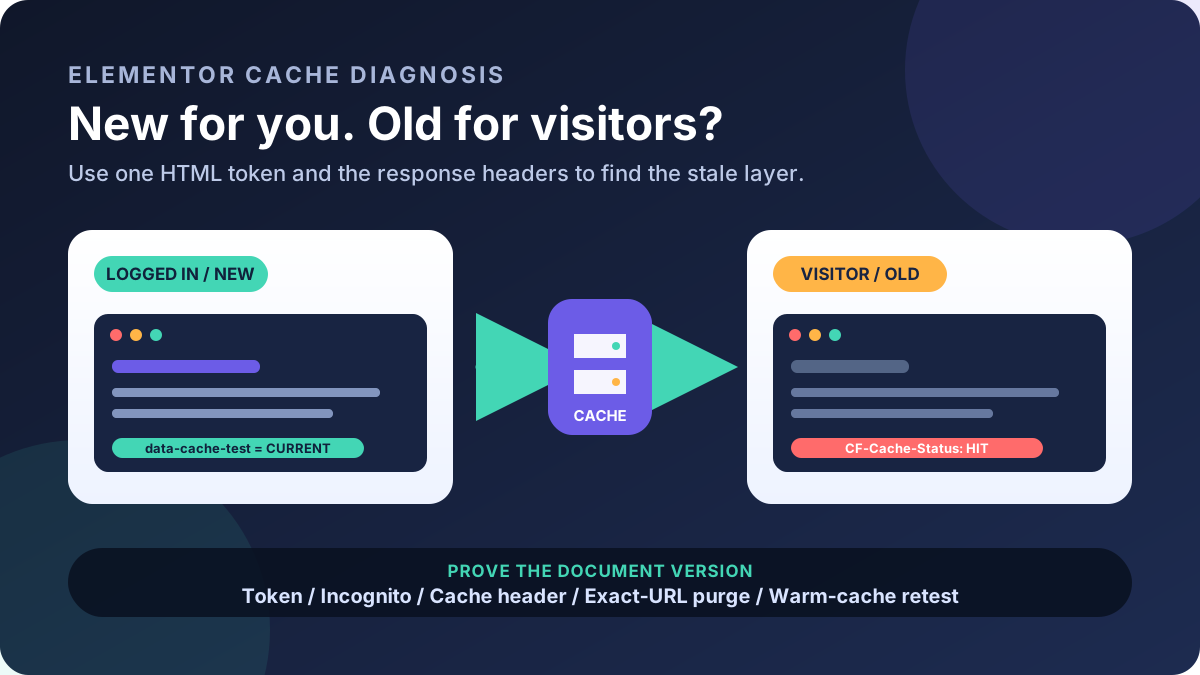
A WordPress site may redirect only after a Google visit. The trigger can use the Referer header, device, cookie, IP, or first visit. This is a serious incident signal, but it does not reveal the malware family or entry point.
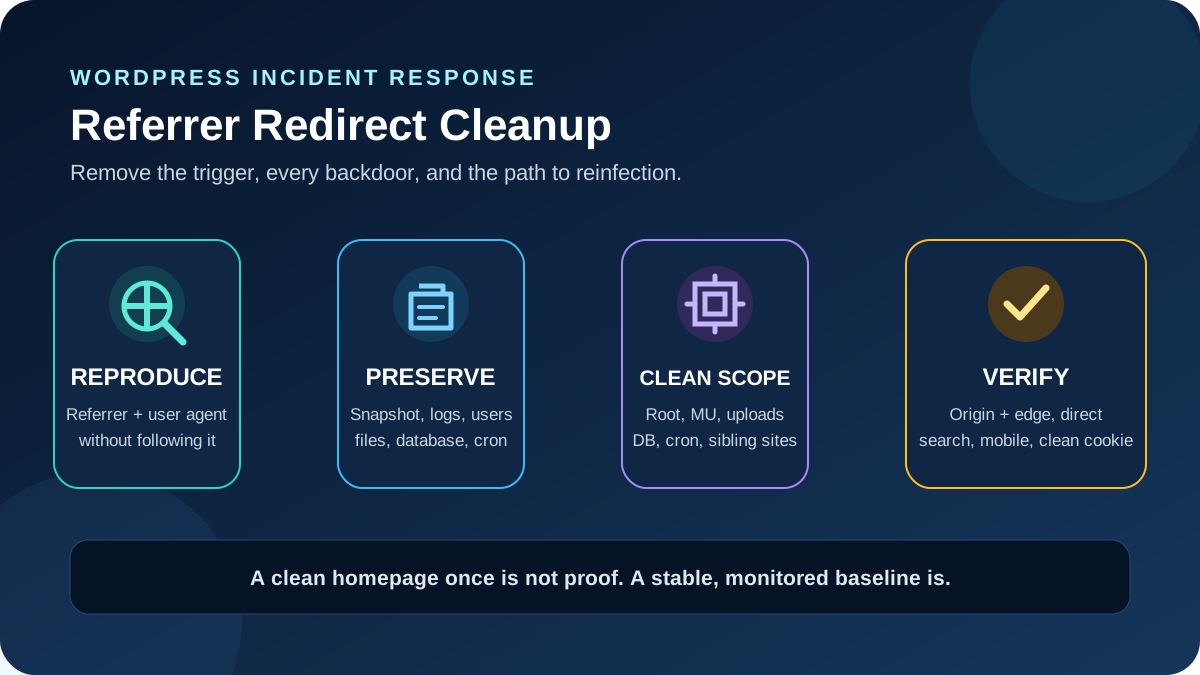
Treat WordPress search-referrer redirect malware as an incident: reproduce it, preserve evidence, contain the site, remove persistence, rotate access, and prove the redirect is gone. Test files, database, users, schedulers, sibling sites, and public responses; one clean homepage load is not enough.
Quick answer: Record the affected URL, time, referrer, user agent, and destination without following it. Preserve files, database, and logs; contain traffic at the host or edge; then inspect account-level rules, WordPress code, uploads, database, administrators, schedulers, and sibling sites. Replace trusted code, remove proven injections, rotate exposed secrets, purge caches, and retest direct and search-referrer requests before requesting a Google review.
Confirm what is redirecting before you clean
A redirect can come from DNS, a CDN or WAF rule, the web server, PHP, WordPress, injected JavaScript, a compromised third-party resource, or the visitor’s browser. An intentional marketing redirect or a bad cache rule can resemble an infection. Treat the behavior as an indicator of compromise until evidence identifies the layer; do not label a plugin or user as the entry point because its filename appeared near the redirect.
| Observation | Likely layer to test next | Evidence to collect |
|---|---|---|
| HTTP 301/302/307/308 before HTML loads | CDN, host, .htaccess, Nginx, or PHP | Status, Location, response headers, origin comparison |
| Page loads, then the browser moves | Injected JavaScript, tag, iframe, or service worker | Saved HTML, Network initiator, loaded script URL, console |
| Only Google/Bing referrals trigger it | Conditional server rule, PHP, database injection, or cache variant | Same request with and without Referer |
| Only mobile or one browser triggers it | User-agent/device rule, browser extension, cookie, or ad resource | User agent, clean profile, second device and network |
| Origin is clean but CDN hostname redirects | Edge worker, redirect rule, cache, or compromised CDN account | Origin and edge responses, rule history, account audit log |
| Several sites in one account behave oddly | Shared credentials, account-level cron, parent rule, or cross-site persistence | All document roots, account crons, access logs, ownership and timestamps |
1. Preserve evidence and a recovery point
WordPress’s hacked-site guidance starts with documentation. Record the first report, time and timezone, URL, referring result, device, network, user agent, destination, and login state. Ask for an existing screenshot or recording, but never ask someone to revisit a dangerous destination.
- Snapshot current files and database. Label them untrusted evidence and store them outside the web root.
- Download access, error, PHP, CDN/WAF, SFTP/SSH, control-panel, and authentication logs before rotation.
- Export users, plugins, themes, WordPress cron, and system cron.
- Record file hashes, sizes, ownership, permissions, and times. Timestamps are clues, not proof.
- Keep the last known-good backup separate and read-only.
Build one incident timeline: visitor reports, deployments, plugin updates, new accounts, successful logins, file changes, cron activity, and outgoing requests. The same five-minute window across access and file-transfer logs can reveal more than a scanner’s filename alone.
2. Reproduce the referrer and user-agent trigger safely
Do not diagnose from your usual administrator browser. Cookies, previous visits, an allowlisted IP, or a different user agent may suppress the redirect. Start with requests that save the response but do not follow a Location header or execute scripts. Replace the examples with the affected request after redacting personal data.
curl --silent --show-error --dump-header direct.headers \
  --output direct.html --max-redirs 0 "https://example.com/affected-page/"

curl --silent --show-error --dump-header search.headers \
  --output search.html --max-redirs 0 \
  --referer "https://www.google.com/" \
  --user-agent "USER-AGENT-FROM-AFFECTED-REQUEST" \
  "https://example.com/affected-page/"
Compare status, Location, cache headers, HTML size, and hashes. Use GET because a conditional script may ignore HEAD. Command-line tools do not execute JavaScript, so matching HTML does not clear the page. If browser execution is necessary, use an isolated disposable profile or virtual machine, disable password syncing, and do not continue to the destination.
- Test the exact affected URL directly with no referrer.
- Repeat with the reported search referrer and user agent.
- Repeat in a fresh cookie jar and then a second time with the same jar; one-time redirects often set a suppression cookie.
- Compare mobile and desktop user agents only when the reports justify it.
- Save the request and response evidence with timestamps. Do not publish the malicious destination or sensitive headers.
3. Contain the site at a trusted layer
If visitors can be harmed, restrict public access using a host, load balancer, or edge control you have verified is not part of the compromise. A static maintenance response should not load JavaScript, images, or CSS from the suspected WordPress installation. Keep a controlled route for the incident team and coordinate with the host before changing DNS or origin access.
Do not delete every suspicious-looking file, reinstall over the same directories, or restore the newest backup blindly. Those shortcuts destroy evidence and can leave an orphaned backdoor, injected database value, malicious cron job, or compromised sibling site ready to reinfect the replacement. On a store or membership site, also preserve orders, subscriptions, users, and submissions created after any proposed restore point.
From a known-clean device, secure the hosting, DNS, CDN, and primary administrator accounts enough to stop active changes: remove unknown sessions or access keys, enable multifactor authentication, and use new unique temporary credentials. Perform the complete secret rotation after the clean environment is ready so the recovery does not strand integrations or place new secrets into compromised code.
4. Locate the serving layer and account scope
Compare the CDN response with the origin only when authorized and able to address the correct virtual host. Review workers, redirect rules, cache variants, and account audit history.
Map every domain, subdomain, staging copy, old installation, and addon-domain document root owned by the same hosting account. Also identify parent directories, account-level configuration, system cron, SSH keys, SFTP users, and database users. A writable abandoned WordPress copy can be the entry point; a parent .htaccess or account cron can affect several sites. Ask the host to investigate anything outside your permissions, including cross-account activity and server-level startup or PHP configuration.
Do not stop after cleaning the domain that received the complaint. WordPress itself recommends contacting the host when shared hosting may be involved. The WordPress plugin audit checklist can help map normal, network, must-use, and drop-in code before you classify an unfamiliar component.
5. Inspect root files, persistence, and trusted code
On an offline copy or contained origin, search for unexplained PHP, JavaScript, rewrite conditions, encoded payloads, external domains, and branches on HTTP_REFERER, user agent, cookies, or IP. A text match is a lead, not a deletion order; legitimate tools may use the same functions.
| Surface | What to verify | Safe decision boundary |
|---|---|---|
| Root and parent directories | index.php, wp-config.php, unfamiliar PHP, .user.ini, php.ini, auto_prepend_file | Diff against a trusted deployment and host configuration |
Every .htaccess | Referrer/user-agent conditions, external redirects, PHP handlers, rules outside WordPress markers | Preserve verified custom rules; Nginx does not use .htaccess |
wp-content/mu-plugins/ | Every top-level PHP loader and required subdirectory | Must-use plugins load automatically and cannot be disabled like normal plugins |
| WordPress drop-ins | advanced-cache.php, object-cache.php, db.php, sunrise.php | Match each file to its documented owner before replacing it |
wp-content/uploads/ | Unexpected .php, .phtml, .phar, nested rules, or executable files | Quarantine with evidence; confirm plugin-created exceptions |
| Plugins and themes | Unexpected files, modified packages, abandoned or unofficial components | Use repository checksums or authenticated vendor packages |
With WP-CLI, verify core and include unexpected root files. Verify WordPress.org plugins separately. A checksum warning is not malware: premium or custom plugins may have no public checksums, while a passing core check says nothing about wp-content or the database.
wp core verify-checksums --include-root
wp plugin verify-checksums --all --strict --skip-plugins --skip-themes
wp plugin list --status=must-use --skip-plugins --skip-themes
wp user list --fields=ID,user_login,user_email,roles,user_registered --skip-plugins --skip-themes
wp cron event list --skip-plugins --skip-themes
The skip flags do not bypass must-use plugins, so run stateful commands only on a contained copy when that layer is untrusted. Replace proven damaged core from the matching official WordPress package. Use complete trusted plugin and theme packages; obtain premium software from the vendor and custom code from its reviewed repository. Remove the old directory before installing the clean copy so an extra file cannot survive a merge. Keep wp-config.php, custom code, and uploads outside bulk replacement.
6. Inspect the database, users, and both schedulers
Conditional redirect code may be stored in an option, post, widget, template, block, theme setting, or page-builder record rather than a PHP file. Search an exported database for the known destination domain, injected script fragments, unexpected iframes, and values changed near the incident window. Review home, siteurl, active plugin lists, autoloaded options, posts, post meta, widgets, and relevant template data. Use WordPress-aware tools for serialized values; a raw database search-and-replace can corrupt lengths and relationships.
Audit every user with administrator-level capabilities, not only accounts whose role label says Administrator. Verify email changes, creation times, recent sessions, application passwords, and role/capability metadata against an authorized roster. Suspend an unknown privileged account and preserve its identifiers before deletion; reassign legitimate content only after ownership is understood. Do not assume a recently created support account is malicious without confirming who requested it.
WordPress cron and the hosting account’s system cron are separate. Export both. For every unknown WordPress hook, identify the plugin or code that registers its callback before removing the event. Check system cron commands for PHP files, downloaders, shell scripts, or paths inside sibling sites. If cron is already unhealthy, use the WordPress cron backlog guide to distinguish delayed legitimate jobs from unexplained persistence.
7. Build a clean restore boundary
A clean backup predates the compromise, not merely the first visible redirect. Validate it offline: compare code, scan the database, review users and schedulers, and check the entry point. Without that confidence, build a new web root from trusted core, plugins, themes, custom code, and media instead of layering files over the compromise.
- Close the confirmed entry point: vulnerable component, stolen credential, exposed key, bad rule, or unauthorized account.
- Quarantine proven malicious files outside the web root; retain hashes and paths.
- Deploy complete trusted packages into a clean directory, never into infected folders.
- Return only validated uploads; investigate executable files and nested configuration.
- Remove proven database injections from a backup-protected database with a WordPress-aware method.
- Recreate reviewed
.htaccess, Nginx, PHP, CDN, and WAF rules. The WordPress 404 guide explains normal permalinks, but preserve intentional security and application rules. - Patch the recovered stack and run business tests before reopening traffic.
For an Elementor site, a files-only restore is incomplete because layouts and global settings also live in the database. Review what an Elementor backup must contain before choosing a restore point. On a live store or membership site, reconcile post-backup orders, users, and submissions as controlled data, not by restoring an unreviewed full database.
8. Rotate secrets and invalidate persistence
Use a known-clean device and rotate credentials after the clean environment is under your control. Cover the hosting panel, SSH/SFTP, deployment keys, WordPress administrators, database user, DNS/CDN/WAF, backup service, SMTP, payment or form integrations, API tokens, and WordPress Application Passwords. Remove unknown SSH keys, control-panel delegates, API tokens, and database users.
Replace the WordPress authentication keys and salts in wp-config.php once as a planned recovery action to invalidate existing login cookies. Expect every legitimate user to sign in again. Rotate credentials in a dependency-aware order, update the services that consume them, and test each integration. If an active attacker may have captured the temporary containment password, change critical passwords again after cleanup, as WordPress’s hacked-site guidance recommends.
9. Prove the redirect and backdoor are gone
Reopen traffic only after the clean origin passes its acceptance tests. Purge the affected page, host, CDN, object, and browser caches in a controlled order. Then repeat the saved direct and search-referrer requests against both origin and public edge. Test the original URL plus representative pages, logged out, using fresh cookies.
- Direct request and Google-referrer request return the intended status, URL, and content.
- Reported mobile and desktop user agents behave consistently unless an intentional rule explains a difference.
- An isolated browser shows no unexpected navigation, script initiator, iframe, service worker, or third-party domain.
- A second device, network, or trusted external test agrees with the first result.
- Core and supported-plugin checksum reports are understood, and all non-checksummed code has a trusted source.
- No unauthorized administrator, application password, cron event, system cron, SSH key, CDN rule, or sibling-site persistence remains.
- Fresh access, PHP, authentication, and WAF logs show no recurrence or unexplained file writes.
- Login, forms, checkout, scheduled jobs, backups, email, and other critical workflows still work.
Capture a clean snapshot and baseline of hashes, users, tasks, and edge rules. Monitor immediately, after 24 and 72 hours, and after a week. If the redirect returns, contain the site and reopen the scope; restoring one file repeats the incomplete cleanup.
Success: Referrer, user-agent, cookie, and device tests stay on the intended domain at origin and edge; the clean file and database baselines remain unchanged; no unauthorized access or scheduled persistence returns; critical workflows pass; and Google reports no unresolved security issue.
10. Review Google Search Console and Safe Browsing
Open Search Console’s Security Issues report and expand every issue. Google’s example URLs are samples, not a complete list, so clean the whole site and every listed issue rather than only those pages. Use URL Inspection to compare Google’s view when cloaking made the problem difficult to reproduce. Check the Google Safe Browsing Site Status tool as a second public signal; a clean scanner result does not replace the Search Console report.
Request a security review only after all affected surfaces are clean and verified. Describe the issue, the root weakness you corrected, the files or data you replaced, the access you rotated, and the tests that now pass. Google says a review can take from several days to several weeks. Do not resubmit while a review is pending. The Manual Actions report is separate from the Security Issues report, and some programmatically detected warnings clear on a later recrawl without a manual review button.
Rollback without restoring the infection
Keep three distinct recovery assets: the sealed infected evidence snapshot, the validated clean deployment snapshot, and the current business-data backup. If cleanup breaks a feature, roll back the smallest reviewed component or configuration from the clean snapshot. If malicious behavior returns, restrict traffic and restore the complete clean boundary while preserving new orders or submissions separately. Never use the infected evidence archive as a convenient live restore.
Official sources
- WordPress: FAQ My site was hacked
- WordPress: Hardening WordPress
- WordPress: Must-Use Plugins
- WP-CLI: Verify WordPress core checksums
- WP-CLI: Verify plugin checksums
- WordPress Developer Blog: Website security checks with WP-CLI
- Google Search Console: Security Issues report
- Google Safe Browsing and Site Status
- DreamHost: Hacked sites overview
Frequently asked questions
Does a Google-only redirect prove WordPress has malware?
No. It is a strong incident signal, especially when the destination is unauthorized, but the responsible layer could be an edge rule, server configuration, injected code, third-party resource, browser extension, or compromised account. Preserve the response and identify the serving layer before attributing the cause.
Is a clean security-plugin scan enough?
No single scanner sees every layer or conditional trigger. An application scanner may miss an account cron, parent .htaccess, CDN worker, database payload, new administrator, or sibling site. Use scanners as evidence alongside logs, checksums, manual review, and repeated public tests.
Should I delete .htaccess and save permalinks?
Not blindly. Saving permalinks can recreate WordPress’s standard rewrite section, but a site may also need verified security, cache, subdirectory, or application rules. Preserve the file, compare every rule, remove proven injections, and rebuild from documented requirements. Nginx sites use server configuration instead of .htaccess.
Can I fix the redirect by restoring a backup?
Only when the backup is demonstrably older than the compromise and its files, database, users, and schedulers have been validated. You must still close the entry point and rotate exposed access. Protect orders, users, and submissions created after the restore point instead of overwriting them.
How long does Google’s malware warning take to disappear?
Google says a requested security review can take several days to several weeks. The timing is not a reason to resubmit early. Confirm that every issue is fixed, submit one evidence-based review when the button is available, and monitor Search Console and Safe Browsing for the result.
Need incident-response help?
A conditional redirect can survive a superficial reinstall and harm only the visitors you cannot reproduce locally. For evidence-led WordPress cleanup, account-wide persistence checks, controlled recovery, and post-clean verification, see AbdullahWP WordPress services.