Download Restricted Google Drive Files via SSH: Full Step-by-Step Guide (2025)
If you’ve ever needed to Download Restricted Google Drive Files via SSH, you already know it isn’t straightforward. Google Drive protects private content using authentication cookies, virus-scan screens, anti-abuse checks, and browser-only confirmation tokens. And because a remote Linux server has no logged-in browser session, you usually end up with:
- ❌ 403 Forbidden errors
- ❌ An HTML page instead of your file
- ❌ Redirect loops
- ❌ Broken or partial downloads
Fortunately, there is a secure and legal solution: use your authenticated browser cookies and curl to mimic a real Google Drive session. This process allows you to download any Google Drive file you already have permission to access—directly to your server.
Why It’s Hard to Download Restricted Google Drive Files via SSH
Google Drive uses several layers of security that prevent simple server downloads:
1. Authentication Cookies
When logged into Chrome/Brave/Edge, Google places tokens in your browser that confirm your identity.
A server does not have these cookies.
2. Confirmation Tokens for Large Files
Restricted or large files require a confirm= token, generated dynamically by Google.
3. Browser Headers
Google expects specific headers such as User-Agent and Referer.
4. No Browser Environment in SSH
Without a logged-in session, wget/curl isn’t recognized as an authorized user.
This is why you must use your browser to capture authenticated request data, then pass that data to your server.
How to Download Restricted Google Drive Files via SSH Using Browser Cookies
To Download Restricted Google Drive Files via SSH successfully, you need three pieces of information:
- The real Google Drive download URL
- Your browser’s authenticated cookies
- Your browser’s User-Agent header
You will obtain all of these from your browser’s Developer Tools.
10 Easy Steps to Download Restricted Google Drive Files via SSH
Step 1 — Open Google Drive
Go to the file you want to download.
Step 2 — Click “Download” Once
This triggers the download request.
Step 3 — Open Developer Tools (Chrome/Edge/Brave)
Press:
F12 or Ctrl + Shift + I
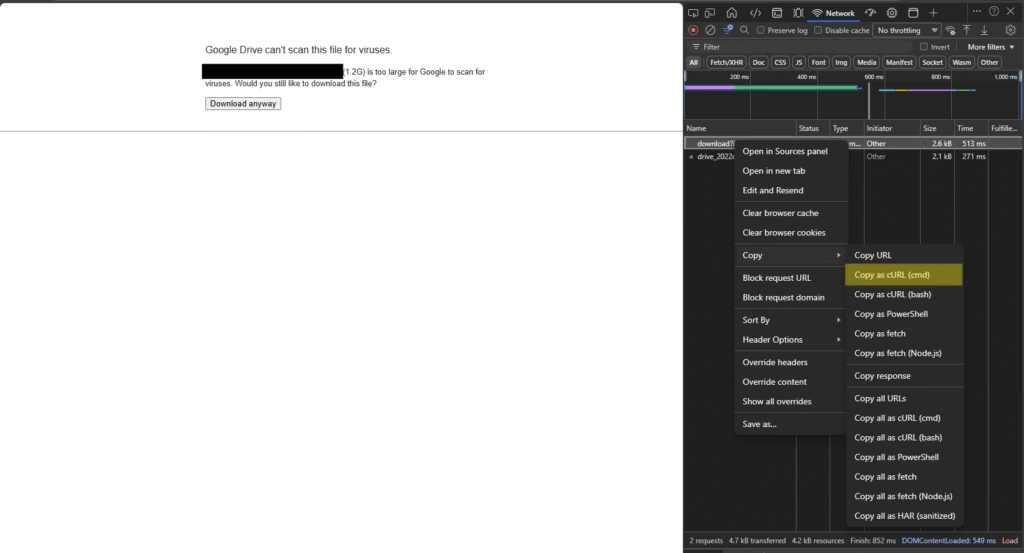
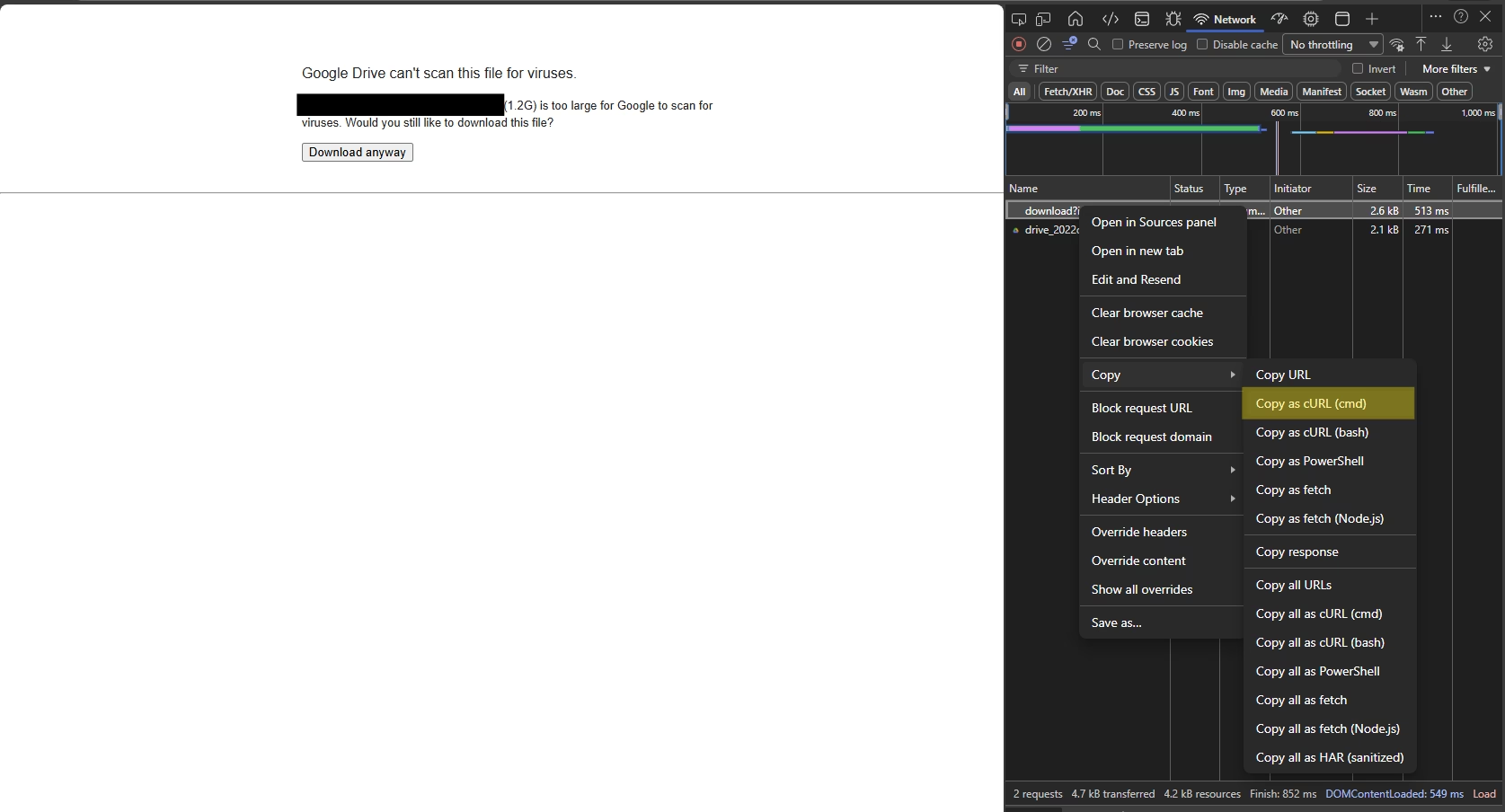
Step 4 — Go to the Network Tab
Filter by:download or uc
Step 5 — Trigger the Download Again
You’ll see a request such as:
https://drive.usercontent.google.com/download?...
This is the real signed download URL.
Step 6 — Copy the Request URL
Right-click → Copy → Copy link address
Step 7 — Copy the Request Headers
Right-click the request → Copy → Copy request headers
From this you’ll extract:
- Cookies
- User-Agent
- Additional headers
Step 8 — Build Your curl Command
Use this template:
curl "PASTE_URL_HERE" \
  -H "User-Agent: PASTE_YOUR_BROWSER_USER_AGENT" \
  -H "Cookie: PASTE_ALL_COOKIES_HERE" \
  -o "yourfile.ext"
Step 9 — Run the Command on Your Server
This will download your Google Drive file directly to your VPS.
Step 10 — Clear Shell History (Security Step)
Because your cookies contain sensitive information:
history -c
Example curl Command
curl "https://drive.usercontent.google.com/download?id=XXXX&confirm=t&uuid=ABCD" \
  -H "User-Agent: Mozilla/5.0 (Windows NT 10.0; Win64; x64) AppleWebKit/537.36 Chrome/123.0.0.0 Safari/537.36" \
  -H "Cookie: __Secure-3PSID=...; HSID=...; NID=...;" \
  -o backup.zip
This allows you to Download Restricted Google Drive Files via SSH safely and directly.
Troubleshooting When Downloading Restricted Google Drive Files via SSH
HTML File Instead of Real File
You copied the wrong request.
→ Look for URLs starting with drive.usercontent.google.com/download.
403 Forbidden
- Cookies expired
- Wrong Google Account
- Missing headers
0-byte or Partial Download
Missing confirmation token (&confirm=).
Virus Scan Warning Interruption
Google sends a second redirected download request—copy the final request.
Advanced: Using cookie.txt for Easier Downloading
You can automate the process:
- Install “Get cookies.txt” browser extension
- Export cookies for
drive.google.com - Upload cookie.txt to your server
- Use:
curl --cookie cookie.txt "URL" -o file.ext
Security Reminders
Because your cookie contains authentication data:
- Never share curl commands containing cookies
- Delete or rotate cookies after use
- Change your password if cookies ever leak
- Use only for files you have permission to access
External Resources
Conclusion
Learning how to Download Restricted Google Drive Files via SSH is essential for developers, system administrators, and anyone managing server migrations or cloud backups. By capturing your browser’s authenticated cookies and using curl, you bypass the usual Google Drive restrictions without violating security rules.
This method is:
- ✔ Fast
- ✔ Secure
- ✔ Legal (for files you own or can access)
- ✔ Perfect for server-to-server transfers